
Point at the nameplate. Fix it right the first time.
For HVAC contractors: the technician at the unit, and the owner, service manager and dispatcher in the office. An iPhone and iPad app in the field, a web console in the office.
The problem, in plain words
The manual is somewhere else.
In a binder, in a glovebox, or in a PDF nobody can find from a roof.
The part has no label.
So it is a counter run, a guess, or a second truck roll.
Your best tech is on another job.
The junior tech calls them, waits, and the customer waits too.
23%
In a 2026 survey of 181 commercial HVAC technicians, only 23% said they arrive with the information they need on at least three in four calls. They named useful job context and a suggested diagnosis as the main things that make a tool worth using.1
1 Field Technologies survey, fielded April 2026, reported in ACHR News, "Technicians do not resist technology, they resist technology that does not help them", October 9, 2026, accessed October 20, 2026.
One rooftop unit, from nameplate to service log
A sample office park. A rooftop unit short-cycling on high head pressure, condenser side hot. Sample data throughout.
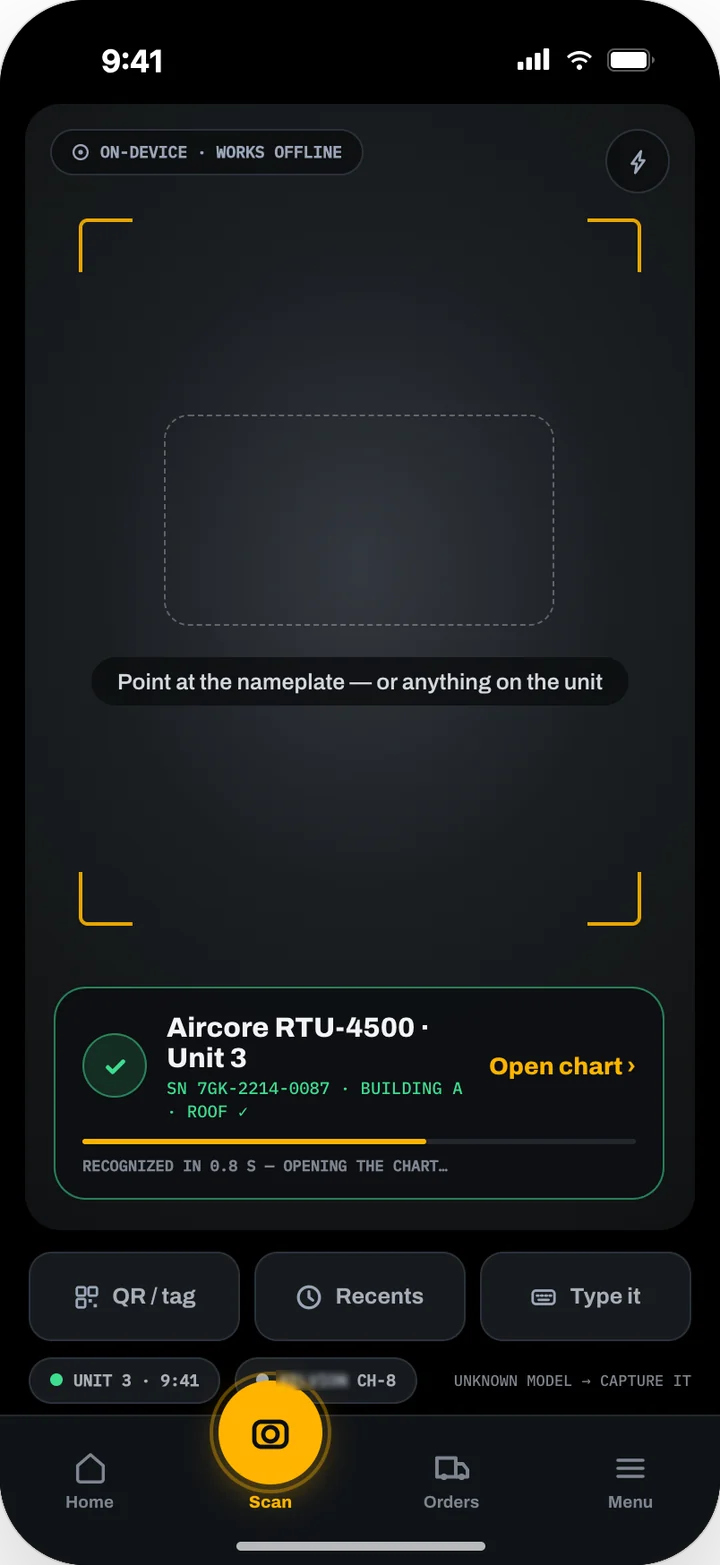
Scan the nameplate
The phone reads the data plate on the device, even with no signal, and the technician confirms make, model and serial before the unit's chart opens.
Describe the symptom
The technician types the symptom. Before the assistant answers, it asks what a senior technician would ask: is the condenser fan running?
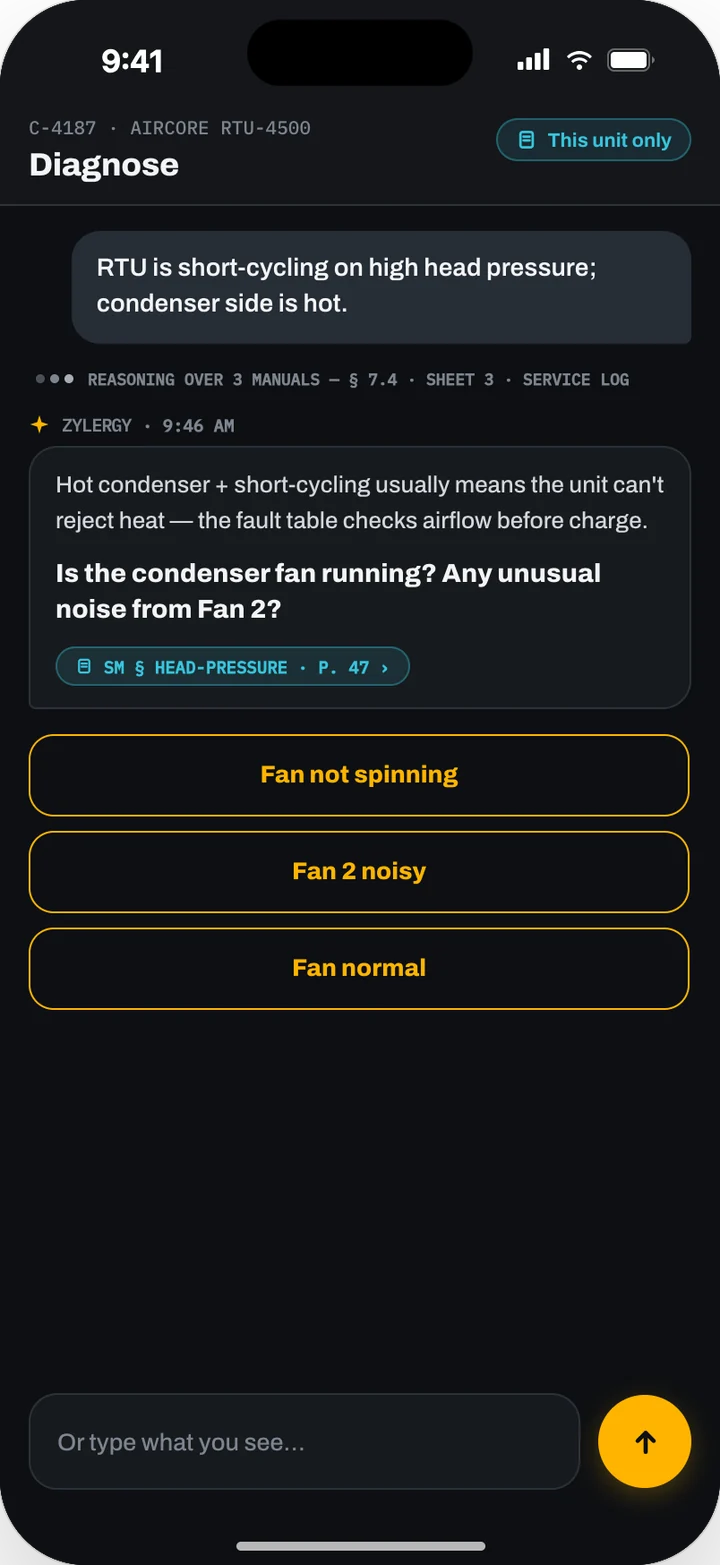
Get the likely cause, with the page
The answer names the condenser fan motor, says how sure it is and why, and cites the service manual section and page, which opens in one tap with the passage highlighted.
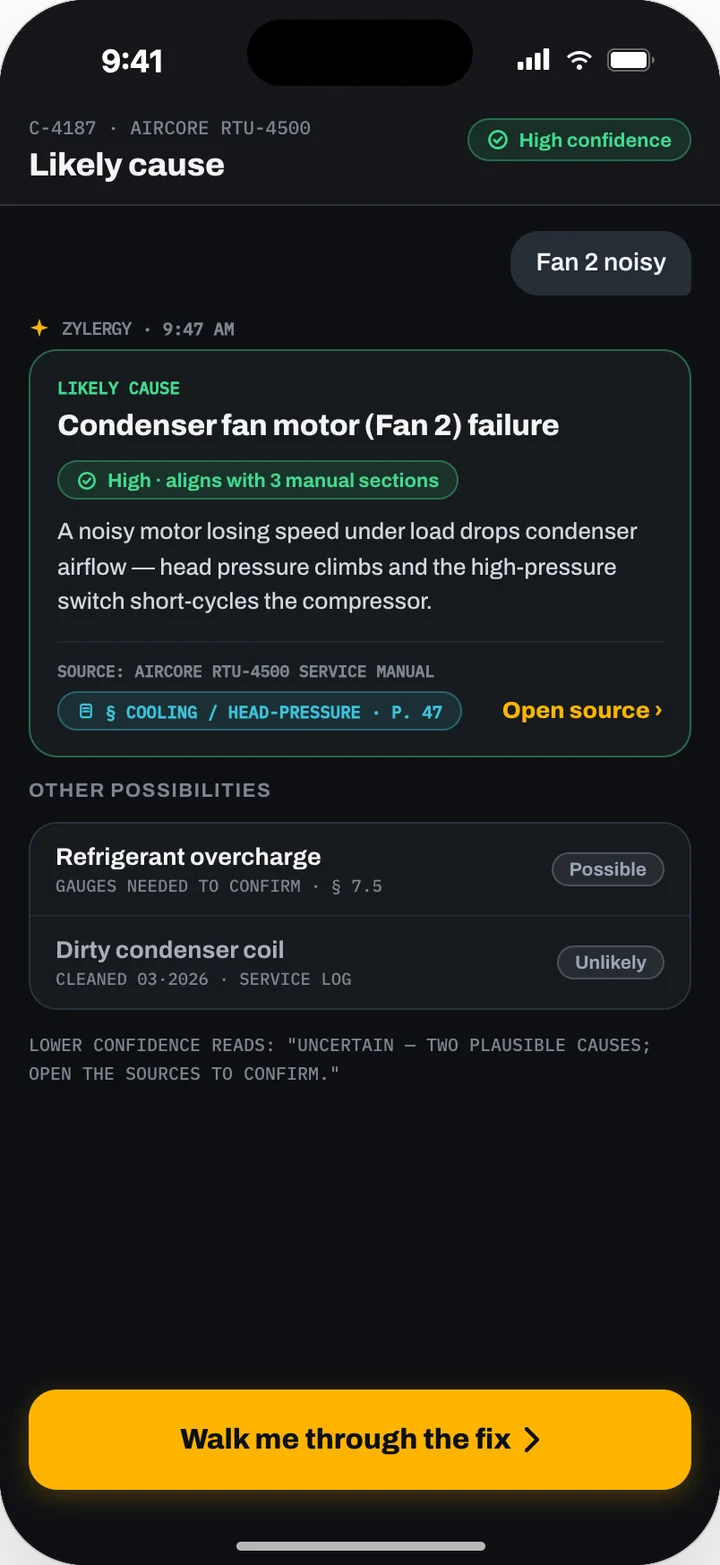
Identify the part from a photo
The motor's label is worn, so two photos go to a vision model that matches them against this unit's own parts catalog and returns the exact OEM part with the reason for the match.
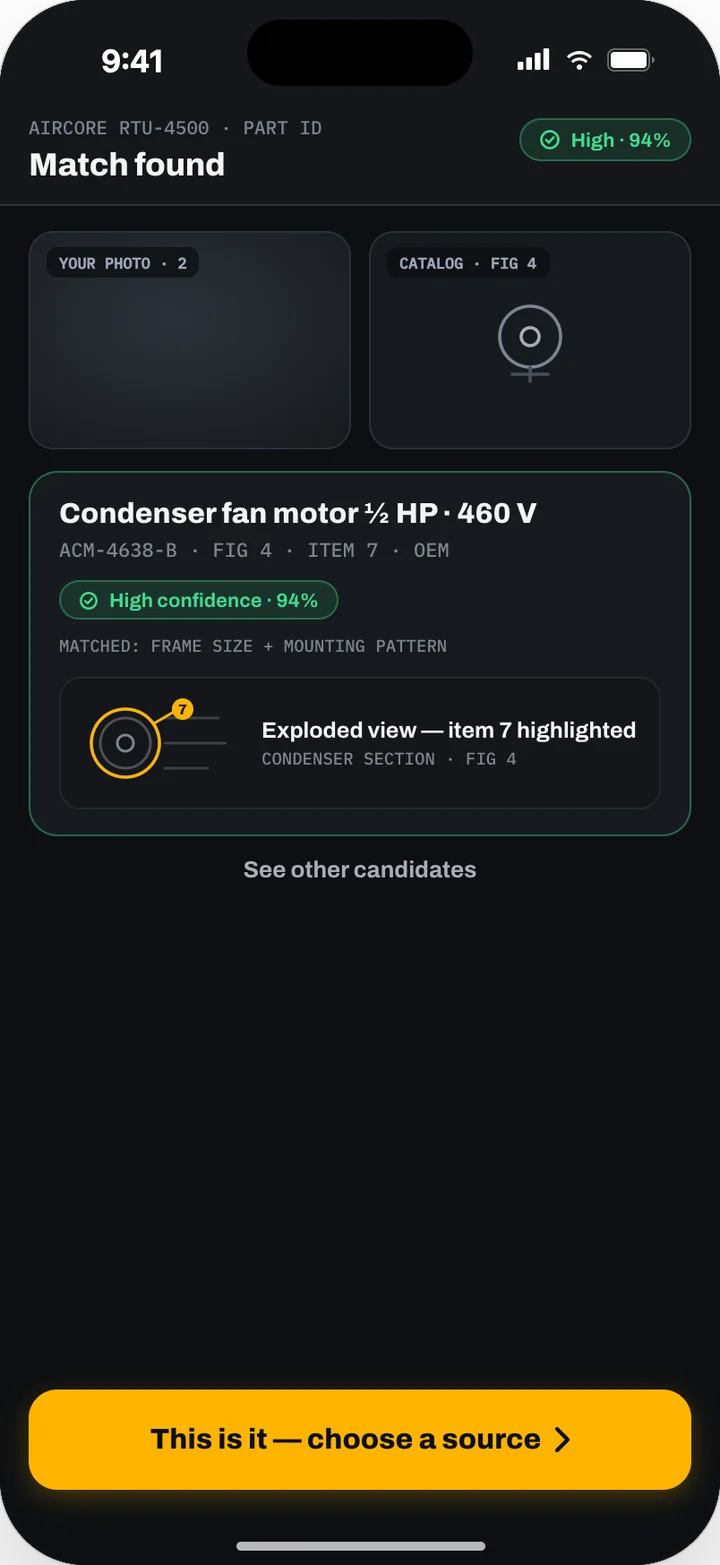
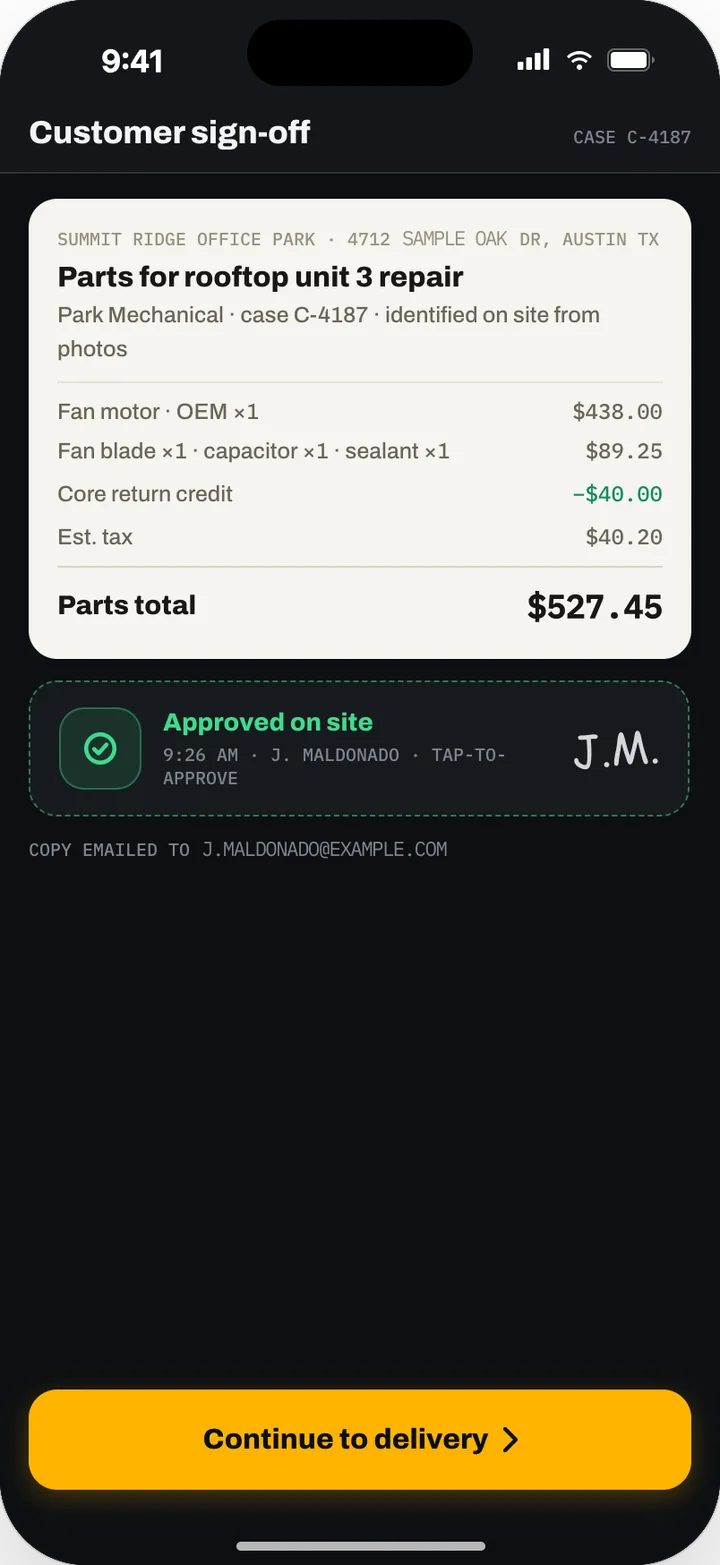
Get the customer's approval and order
The customer reads the total and signs on the technician's screen, a copy goes to their email, and the order goes out for branch pickup or delivery, tied to the case.
Repair, verify, log
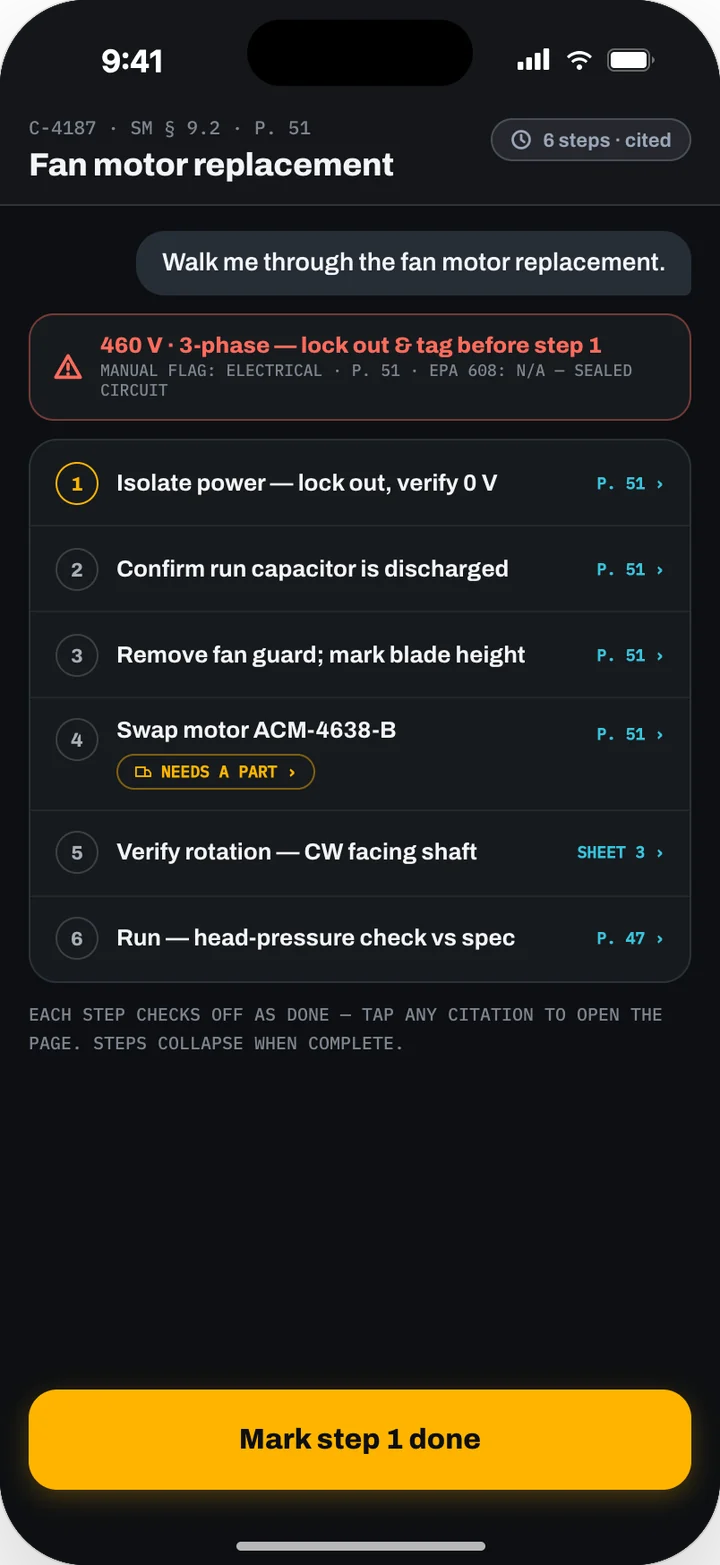
Numbered steps, each cited and carrying the manual's own safety callouts, take the technician through the swap. Once the readings are back in spec, the repair goes into the unit's service log with the sources used.
Built for the unit in front of you
The part, from a photo of the part
Most parts lookups start from a model number, a barcode or a legible label. Zylergy Field starts from the failed part in your hand and compares it only with the parts that fit the unit you scanned.
Answers from this unit's manuals
Diagnosis and repair steps come from the manuals for the make and model you confirmed, with the page cited. When those manuals are silent, it says so.
Made for no signal
Nameplate reading, the parts catalog, part matching and checklists run on the phone. A basement or a roof with no signal does not stop the job.
What it does
Agent marks work an AI agent runs. Model marks work a trained model does. How our models work
Nameplate scan Model
Point at the data plate, a QR tag or a data matrix. Text recognition runs on the phone, so it works in a basement with no signal. A confirmation step means a bad read never opens the wrong unit.
Part identification from a photo Model
Photograph the failed part from one to three angles. A vision model matches it against the parts catalog for this exact unit, which narrows the search to a few hundred candidates instead of every part ever made. It gets better with every match your technicians confirm. When the match is uncertain, it shows ranked candidates with the reason, and asks for the printed rating on capacitors and motors.
Diagnosis cited to the manual Agent
Describe the fault in your own words. The assistant asks one or two questions to narrow it down, then gives the likely cause, how sure it is, and the manual page it relied on. It answers from this unit's manuals and marks anything from outside them.
Honest when the manuals are silent Agent
If the manuals do not cover it, the assistant says so. It points to the closest section, offers to escalate, or searches the manufacturer's support pages, clearly marked as outside your verified library. It does not make up a procedure.
Cited repair steps
Ask how to fix it and get numbered, checkable steps, each with its own citation and the manual's own safety cautions. When a step needs a part, the parts flow opens with the unit and the part already filled in.
Parts, priced and approved on site
Exact-fit OEM parts sit beside compatible ones, with warranty details and "pairs with" items. Your supplier gives price, stock and lead time. The app shows the technician your cost and the customer their price. The customer signs before anything is ordered. Returns and credits take a few taps.
Maintenance checklists from the manual Model
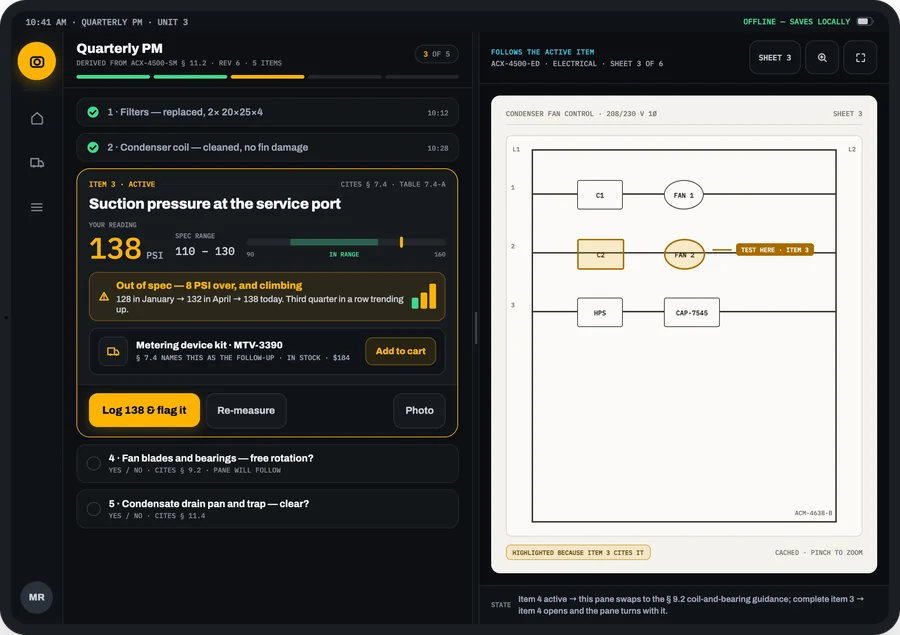
A model reads the manufacturer's manual and proposes the tasks, intervals and acceptance ranges, each item cited to its page. A person in your office reviews and publishes the checklist before any technician sees it. Out-of-range readings are flagged the moment they are entered.
One service log, and a watch list
Repairs and maintenance land on one append-only log per unit. The watch list flags units from recorded history: a reading drifting toward its limit over three visits, a check that keeps failing, work that is overdue.
In the field. In the office.
At the unit
The technician:
- Sees the day's stops on the phone or on the iPad in the cab, with the day's units packed for offline use.
- Scans the nameplate and reads the unit's history before opening a panel.
- Diagnoses with cited answers, identifies the part from a photo, and gets the customer's signature for the order.
- Follows cited repair steps, runs the due checklist, and records readings against their range.
- Offers the shop's service plans at the close, the same way every other tech on the team does.
At the desk
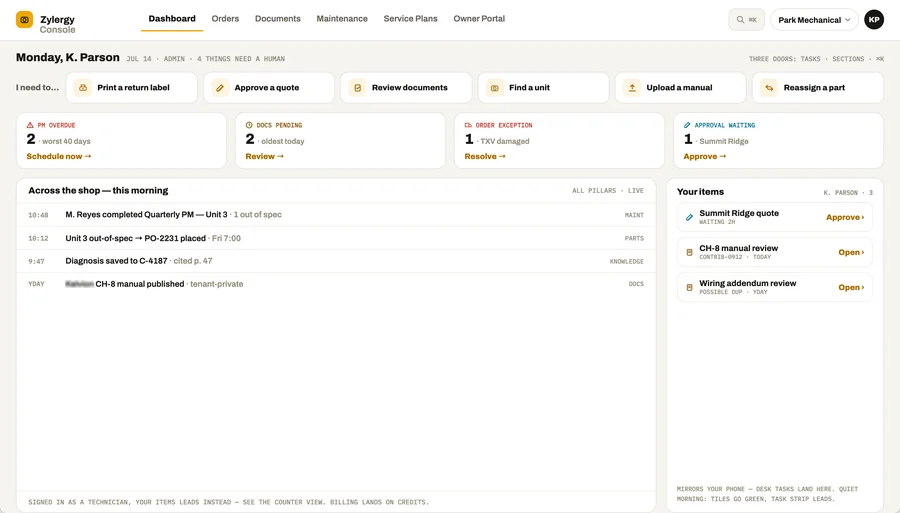
The owner, service manager, dispatcher and parts buyer:
- See live activity from the field and the items waiting for them on one console home.
- Approve quotes inline and resolve order exceptions from the work queue.
- Track every order with per-line arrival dates and handle returns and credits.
- Manage the document library and who may see each manual.
- Review and publish checklists, set maintenance schedules, and watch what is due and overdue across every customer.
- Build the service-plan catalog the technicians offer.
Works with what you have
Your field-service management software
Zylergy Field works alongside it. Your dispatch and invoicing stay where they are. Which systems it connects to
Your parts supplier
Price, stock and lead time from your supplier; orders placed from the app; branch pickup or delivery; returns and credits.
Manufacturer documentation
Manuals, schematics and parts diagrams you hold or are licensed to use, verified by a person before they are published to your technicians.
Your shop's own library
Your procedures, notes and service history, added to the same governed library.
Your sign-in
Single sign-on and role-based access, including which brands each technician is authorized to see.
Your data, your answers
Your service history, photos and documents belong to you. Every answer cites the manual page it came from, and the assistant answers only from documents your team is entitled to: a manufacturer's manuals reach only the shops and roles authorized for that brand. A person verifies each document and publishes each checklist, and the customer approves every order.
How it starts
Zylergy Field is in early access. Join, and our engineers set it up on site for your shop.
They ride along with your technicians, load the manuals for the units you see most, connect your parts supplier and your service history, and put the app in your team's hands. Your technicians use it on real calls, and you work directly with the engineers who build the product. After early access it runs on the Zylergy Field subscription.
The quick start, operator and admin guides are published. Read the Zylergy Field guides.
Questions
Does it replace our field-service management software?
No. Zylergy Field works alongside it. Dispatch and invoicing stay in the system you run today; Zylergy Field covers what happens at the unit and the parts, documents and maintenance work behind it.
What happens when the manual does not cover the problem?
The assistant tells you it does not know. It points to the closest section, offers to escalate, or searches the manufacturer's support pages and marks those results as outside your verified library. If you find the right manual, you can submit it for review so it is there next time.
Does it work without signal?
Nameplate scanning, the parts catalog, cached manuals, part matching from a photo and checklists all work offline. The live assistant and order tracking need signal, and the app says so.
How does it identify a part with no label?
It matches your photos against the parts catalog for the unit you scanned, not against every part ever made. That narrows the search to the parts that can actually be in that unit. When it is not sure, it shows ranked candidates with the reason, and you pick.
Which equipment does it cover?
HVAC first: rooftop units and split systems, with the manufacturer documentation your shop is entitled to. When a unit has no manuals loaded yet, the nameplate still reads, and the app finds the manufacturer's support page and lets you submit the manual for review.
What does early access cost?
We agree on the terms with each early-access customer. Custom engagements are priced separately and start with a First Build.
Related
For field technicians. How the technician's day changes, and what the owner gains.
Read the pageCustom engagements. Engagements that run on Zylergy Field: Service call intake and dispatch · Parts identification from a photo for the dealer network · Callback reduction model · Digital startup and commissioning · Technical support knowledge layer for dealers · Senior-technician know-how for service contractors.
See forward-deployed engineering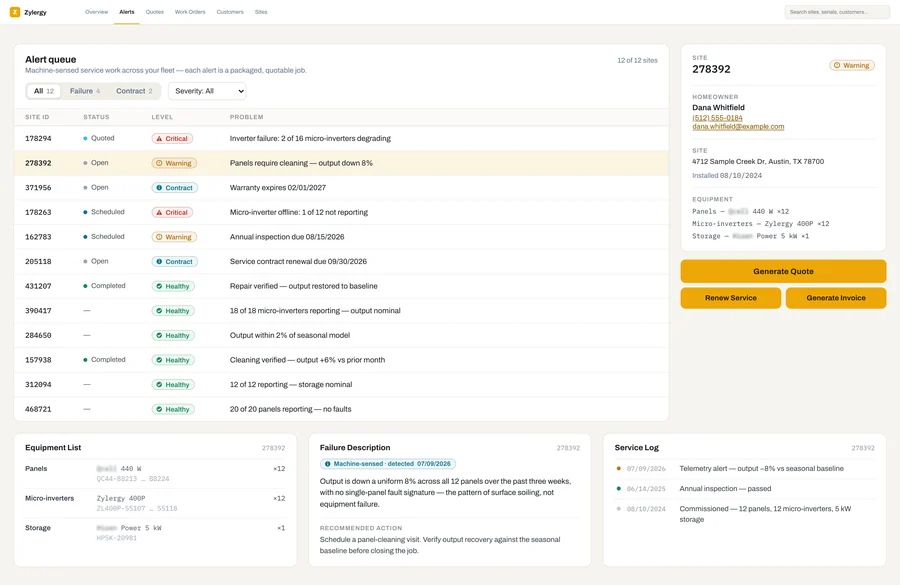
Zylergy Solar
Inverter and battery alerts become quotable service jobs, fixed in one visit.
See Zylergy Solar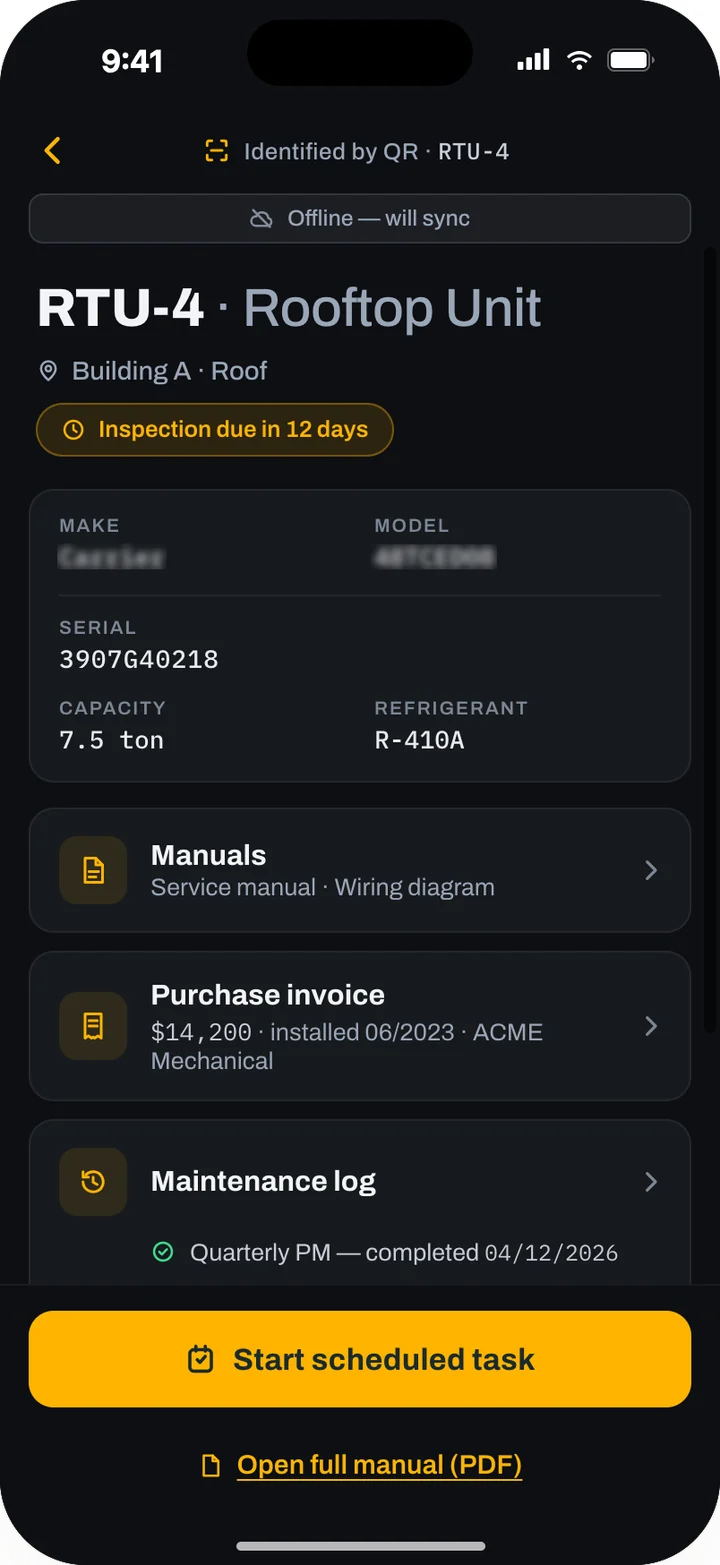
Zylergy Facilities
QR-tagged asset records, compliance scheduling, credential-gated contractor routing and audit packs.
See Zylergy FacilitiesProduct screens show sample data.
Bring us the units your techs see every week.
An engineer will show you how Zylergy Field handles them, and what we would set up in early access for your shop.